Airbrush tips replicate spray cans with a 3D conical spray. Customize Brush Tip Shape options like Granularity, Spatter, Hardness, and Distortion controls. With a stylus, alter the spread of sprayed strokes by changing pen pressure.
Showing posts with label adobe. Show all posts
Windows: Download Photoshop CS6

What 's new in Photoshop CS6?
Airbrush tips
Specify the stylus tilt, rotation, and pressure. Choose Window > Brush, and select Brush Pose to paint with a specified tilt, rotation, and pressure. Use a stylus to change the stroke relative to the default pose, or select Override options to maintain a static pose.
Windows: Tải về Photoshop CS6
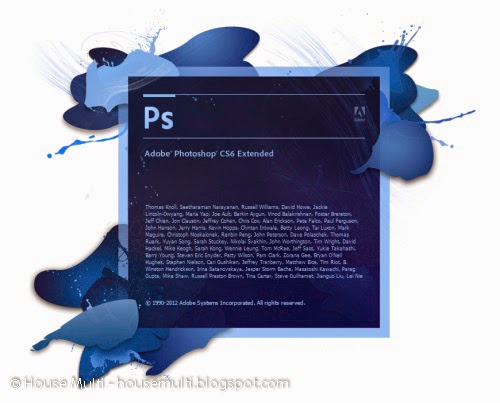
Những tính năng mới trong trong Photoshop CS6
Crop Tool: được cải tiến giúp người sử dụng xem trước tương tác qua đó có thể hình dung tốt hơn kết quả mình nhận được. Dễ dàng chọn vùng và điều chỉnh kích thước, biên độ.
Blur Gallery: Cung cấp 3 lựa chọn Field Blur/ Iris Blur/ Tilt Shift trong đó chọn Iris blur sẽ xuất hiện hình oval trên bức ảnh cho phép người dùng chọn vùng ảnh muốn được làm rõ nét nhất. Vùng nằm ngoài hình oval sẽ mờ dần đi và người dùng có thể quy định ảnh bắt đầu mờ dần từ vị trí nào cũng như điều chỉnh độ mờ.
Adaptive Wide Angle: cho phép uốn cong hình ảnh theo góc độ mong muốn tạo ra những bức hình đầy nghệ thuật.
Video Demo: được thiết kế theo phong cách timeline clip với nhiều hiệu ứng động và chèn âm thanh giúp người dùng tạo ra được các video chuyên nghiệp nhanh chóng và dễ dàng.
Content Aware Patch: cho phép người dùng lấp đi những chi tiết không mong muốn hoặc đắp lỗ thủng trên bức hình do cắt hoặc xóa bằng cách sao chép những họa tiết của vùng gần đó thế vào.
Content Ware Move: giúp người sử dụng di chuyển một đối tượng đã chọn trong ảnh sang vị trí khác một cách dễ dàng, nhanh chóng chỉ với thao tác chọn vùng và kéo thả mà không để lại dấu vết nào và không cần các thao tác phân lớp phức tạp.
Camera Raw 7.0: là công cụ lựa chọn và điều chỉnh màu sắc, tô màu và các hình mẫu với kênh màu. Các điều chỉnh riêng biệt giúp dễ dàng quản lý và theo dõi kết quả điều chỉnh ngay trên màn hình.
*. Tải về Photoshop CS6
>> Download Photoshop CS6
Guide: Install Adobe Flash Player on Fedora

1. Change Root User
2. Install Adobe YUM Repository RPM package
3. Update Repositories
4a. Install Adobe Flash Player 11.2 on Fedora 20/19/18/17/16/15/14/13/12, CentOS 6.5/6.4/6.3/6.2/6.1/6 and Red Hat (RHEL) 6.5/6.4/6.3/6.2/6.1/6
Fedora 19/18/17/16/15/14/13/12, CentOS 6 and Red Hat (RHEL) 6 32-bit and 64-bit version
4b. Install Adobe Flash Player 11.2 on CentOS 5.10 and Red Hat (RHEL) 5.10
CentOS and Red Hat 32-bit and 64-bit version
5. Verify that the Flash Player Plugin is working
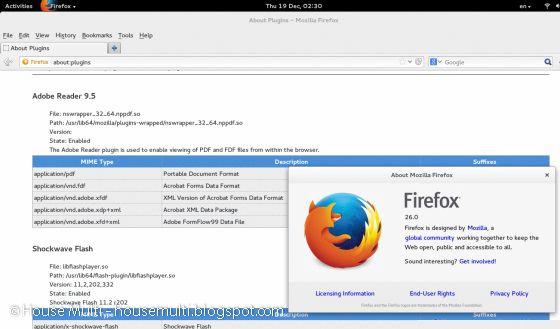
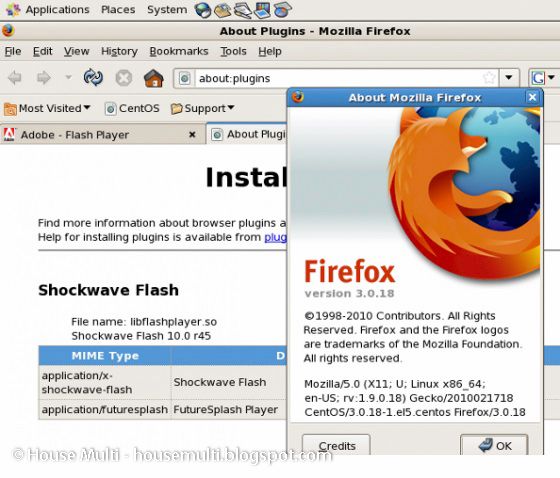
Open Mozilla Firefox and write about:plugins on address bar. Results should look like following:
Adobe Flash Player 64-bit on Firefox 26, installed on Fedora 20 64-bit (x86_64)
CentOS 5.8 and Red Hat 5.8
Subscribe to:
Posts
(
Atom
)